3DS Emulator Download: Getting Azahar from the Right Source
Choosing a 3DS Emulator download should be simple: use an official build for your system, install it, then add games you have legally dumped from your own hardware. Azahar, an open-source project that continues Citra's work, provides options for computers and Android phones.
Choose the Right Download for Your Device
Go to our 3DS Emulator download section and select Windows, Android, macOS or Linux. Each button looks up the latest stable Azahar release on the project's GitHub and starts the matching application download. This means you get an actual emulator build, not a folder of source code.
Windows
For Windows 10 or later, start with the 64-bit MXE installer. Use the regular installation wizard, open Azahar and configure your controller before adding your game library. Some builds are also offered as portable ZIP packages.
Android
The Android Vanilla APK is intended for phones running Android 10 or newer. After downloading the APK, Android may ask for permission to install apps from your browser. Grant it only for the installation, and then turn it off again. The Play Store build is another option for people who prefer automatic updates.
macOS
The universal macOS package is the easiest choice when offered, since it supports both Apple Silicon and Intel Macs. You need macOS 13.4 or later. Open the downloaded package and follow macOS's normal app installation and security prompts.
Linux
An AppImage is convenient if you want to run the emulator without traditional system-wide installation. Make the file executable and launch it. If you prefer app-store-style updates, Azahar is also distributed on Flathub.
What You Need Before Launching a Game
- A compatible 64-bit computer or supported Android device.
- A decrypted game dump obtained from your own Nintendo 3DS collection.
- Enough free storage for your games, updates and save files.
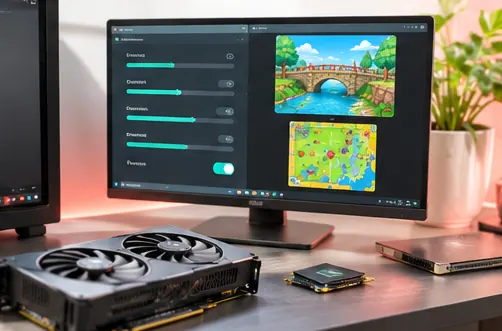
- A modern graphics driver that supports the renderer you intend to use.
Azahar doesn't include commercial games, system files or encryption keys. The emulator won't automatically make encrypted downloads playable, and game compatibility can vary.
First Launch: Five Practical Steps
- Install or open Azahar from the file downloaded for your platform.
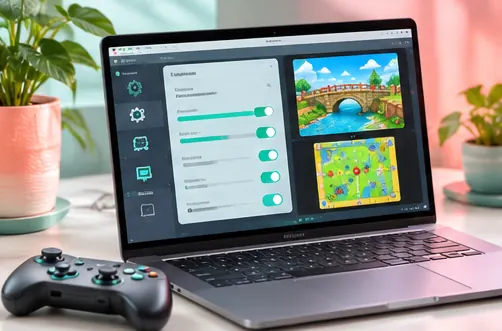
- Open the app's graphics settings and start with default resolution and renderer settings.
- Choose a game directory containing your own decrypted titles.
- Map your keyboard, controller or on-screen touch controls.
- Launch a game, confirm sound and speed are reasonable, and save your progress normally.
Downloads, Updates and Safety
Only use builds published by the Azahar developers. The buttons on this website resolve files from the official GitHub releases; we don't repackage installers, add download managers or include games. If an automatic download is unavailable, the button opens the official release page for manual selection.
Keep Azahar updated, back up your saves, and treat files from unknown sources with caution. New releases can change save-state compatibility, so keeping an ordinary in-game save is a useful safeguard before updating.
Frequently Asked Questions
Is Azahar free to download?
Yes. Azahar is free and open-source software. It is not an official Nintendo product.
Does the Windows download contain the actual emulator?
Yes. The Windows download button selects a compiled Windows release asset, not the development repository archive.
Where are the games?
Games are not bundled. Use game dumps you have legally created from your own 3DS collection.
Why won't a download start?
Your browser or network may block GitHub's download service, or the latest release may use a different filename. In that case, follow the official releases page and pick the appropriate asset manually.
Ready to Play
Start with the right build for your device, keep your graphics settings modest at first, and check each game's compatibility as you go. You can find more setup help in our Windows installation guide and Android guide.
Conclusion
Choosing a 3DS Emulator download is easier when you start with your operating system and choose the matching official Azahar release. Windows users can select an installer, Android users can use the Vanilla APK, and macOS and Linux users should pick the build created for their hardware.
After installation, open the app, configure your controls and graphics, and load only compatible game files from your own collection. Keep the emulator updated and retain a backup of your save data.