Windows
Choose the recommended 64-bit Windows installer. Works on Windows 10 or later with compatible graphics hardware.
Download for WindowsInstaller · 64-bit3DS Emulator brings your favorite Nintendo 3DS games to your device with smooth gameplay, simple controls, and easy setup. Enjoy a familiar gaming experience anytime, anywhere.
Direct Windows installer (64-bit) · View Android, macOS & Linux downloads
A free, open-source way to enjoy your own dual-screen handheld library on modern computers and phones.
Azahar is a high-level Nintendo 3DS Emulator for PC and mobile devices. It was created by merging PabloMK7's Citra fork with the Lime3DS project, both of which emerged shortly after Citra was taken down in 2024, and it is actively developed by a community of contributors.
The project aims to give 3DS owners a place to enjoy their titles with improvements over the original hardware, such as higher resolutions, modern controllers and save states. It also serves homebrew developers and preservation research.
Everything here comes from Azahar's documented capabilities, focused on visuals, comfort and convenience.
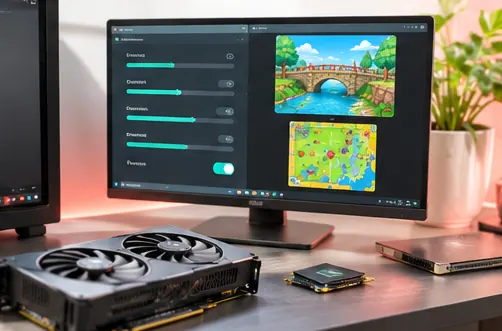
Render games well above the handheld's native resolution for crisp visuals on 1080p, 1440p and 4K screens.
Switch between graphics renderers to find the best speed and compatibility for your GPU and drivers.
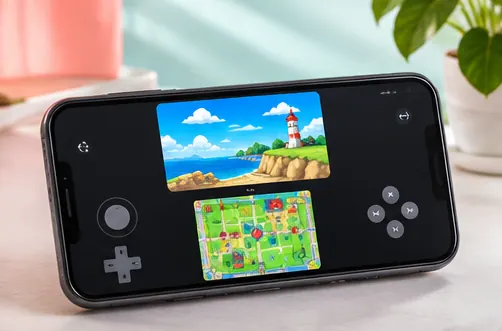
Map any compatible gamepad, keyboard or touch overlay to the circle pad, d-pad and face buttons.
Capture and restore any moment instantly, alongside each game's own save system.
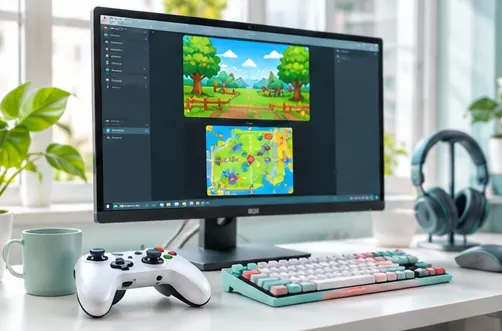
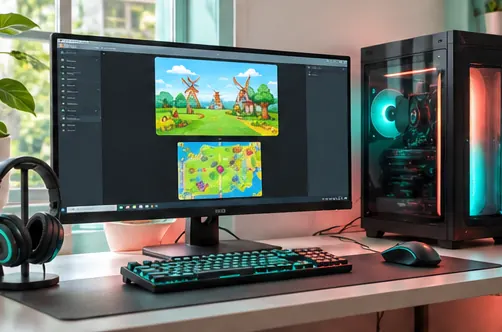
Show both screens stacked, side by side or with an enlarged main view, and swap them with a hotkey.
Shrink decrypted games by roughly 30 to 45 percent, with batch compression on desktop.
Stream a game from your own 3DS to the emulator over your local network without a separate dump.
Load texture packs and keep separate settings for demanding games, including on Android.
From the right download to your first game, follow a setup process that stays clear at every stage.
Choose your platformPick the installer or APK that matches your Windows, Android, macOS, or Linux device.
Choose a folder containing compatible game files dumped from your own 3DS collection.
Adjust screen layout, graphics, touchscreen inputs, and controller mapping for your device.
Launch your game, use save features when supported, and back up your progress regularly.
Official Azahar builds and formats as listed by the project, with the notes that matter when choosing one.
| Platform | Available formats | Notes |
|---|---|---|
| Windows | InstallerZip archiveMSVC / MXE | The developers suggest MXE builds when you are unsure which toolchain to choose. |
| macOS | Universalarm64x86_64 | Native builds for Apple Silicon and Intel Macs, plus a universal option. |
| Linux | FlatpakAppImage | Flathub is the recommended source; the standard AppImage is preferred over the Wayland variant. |
| Android | Google PlayVanilla APK | Current releases require Android 10 or newer. |
| iPhone / iPad | No standalone app | Only the libretro core has reached iOS, where JIT is disabled and speed is limited. |
Hardware needs vary by game and settings, so a modern GPU and processor give the most consistent results.
Common ways owners and developers put Azahar to work.
Enjoy the games you own on a desktop monitor or TV with sharper visuals than the original handheld.
Carry your library on an Android phone or tablet with touch controls or a Bluetooth controller.
Keep backups of your own cartridges and saves, so your progress outlives aging hardware and batteries.
Azahar also serves as a debugging hub for homebrew developers and a research platform for the 3DS ecosystem.
Practical value beyond the feature list, from preservation to everyday convenience.
Games stay playable even if your console's hinge, screen or battery wears out.
Higher resolutions and texture options make older titles feel fresh.
The same emulator on desktop and Android keeps settings and habits familiar.
Regular releases bring fixes, speed gains and new features over time.
Public source code means anyone can inspect how the emulator works.
Free software with no subscriptions, ads or paid tiers in official builds.
The recommended route for each system, based on the project's own instructions.
Get a ready-to-run Azahar release for your operating system. Pick your platform to download the installer or app directly from the developers' GitHub release assets.
Choose the recommended 64-bit Windows installer. Works on Windows 10 or later with compatible graphics hardware.
Download for WindowsInstaller · 64-bitInstall the Vanilla APK on Android 10 or newer. Use your own decrypted game files and keep app permissions under your control.
Download Android APKAPK · Android 10+Download the universal Mac build for both Apple Silicon and Intel devices, where available.
Download for MacUniversal build · macOS 13.4+Download an AppImage build to run Azahar on a supported 64-bit Linux system, or use the Flathub package.
Download for LinuxAppImage · 64-bitDownloads come directly from Azahar's official GitHub releases. The download buttons locate the newest stable release file for your platform. Games are not included; use your own legally obtained dumps.
Simple habits that keep your device, accounts and saves protected.
Download only from the Azahar GitHub repository, Flathub or Google Play.
Skip bundles that add games, system files or extra installers.
No emulator needs your console, Google or Apple account password.
Copy your user folder before updates or switching builds.
Install new releases and graphics drivers for fixes and stability.
On Android, check that requested permissions match what the app needs.
A balanced look at what Azahar does well and where it has limits.
Key milestones from public release notes and coverage. Check GitHub for the current version.
The original Citra project ended, and community forks quickly appeared to continue development.
PabloMK7's Citra fork and Lime3DS announced they would combine into a single project, later named Azahar.
The first stable Azahar release launched for desktop and Android after release candidate testing.
A major update brought ROM compression to Android, lower input latency and a new minimum of Android 10.
Azahar became available as libretro cores, with release notes highlighting a disk shader cache and lower Artic Base CPU usage.
Version numbers and dates change with every release, so the Releases page is the authoritative source for the latest build.
Match the symptom to the most likely fix before changing other settings.
Update graphics drivers, then try the other renderer or the alternate Windows build (MSVC or MXE).
Use decrypted files in a supported format. .3ds files and encrypted games are not supported.
Lower internal resolution, keep JIT enabled and try Disable Right Eye Rendering.
Shaders are compiling. Keep the disk shader cache enabled so later sessions run smoothly.
Some games need Mii data or system files dumped from your own 3DS.
Close background apps, check audio emulation settings and confirm the game runs at full speed.
In-depth articles on downloading, setup, games and performance.
Twenty answers in two categories covering the emulator, setup, games and performance.
A 3DS Emulator is software that recreates the Nintendo 3DS hardware on another device, so games you own can run on a PC, Mac or Android phone. Azahar is a free, open-source example that continues the work of Citra.
Yes. Azahar is free and open-source software licensed under the GPLv2. No official build requires payment or a subscription.
Azahar publishes standalone builds for Windows, macOS, Linux and Android. There is no standalone iPhone or iPad app.
Azahar is based on Citra. It was created by merging PabloMK7's Citra fork with the Lime3DS project after Citra was taken down in 2024.
Emulator software itself is generally lawful, but laws vary by country. Use games and system files dumped from hardware you own, and check the rules where you live. This is general information, not legal advice.
No. This site provides information and links to the official Azahar GitHub repository. It is not operated by the Azahar project or Nintendo.
The download section provides ready-to-run official Azahar builds for each platform are listed on the Azahar Releases page.
No. Azahar does not ship games or console system files. You provide decrypted games and any required system data from your own 3DS.
Yes. Internal resolution scaling lets games render well above the original handheld resolution, which looks much sharper on modern screens.
Yes. The project publishes stable releases and release candidates on GitHub, with notable updates such as Release 2124 in January 2026 and libretro cores in Release 2125.
Azahar deliberately does not run .3ds files. Re-dump your game into a supported decrypted format such as .cci or .cxi.
No. Azahar requires decrypted game files and provides no way to load encrypted content.
Azahar offers an installer and a zip archive, each built with MSVC or MXE. The developers recommend MXE if you are unsure.
Choose arm64 for Apple Silicon, x86_64 for Intel, or the universal build if you are not sure which chip you have.
Current releases need Android 10 or newer. Android 9 devices can only use Release 2123.4.1 or older.
Google Play is recommended for most users because updates are automatic. The Vanilla APK uses a faster file management method and can be kept updated with Obtainium.
Yes. Azahar supports modern controllers on desktop and Android, and every button can be remapped in the input settings.
Lower the internal resolution, try the other renderer, keep the shader cache enabled and consider the Disable Right Eye Rendering option.
Yes. Azahar can compress decrypted game files, and the developers measured size reductions of roughly 30 to 45 percent.
Artic Base lets your own 3DS stream a game to Azahar over your local network, so you can play without making a separate dump.